

How to use the Kanban project board in CoPort
Updated · 5 steps
Chapters
To move a project in CoPort, open Projects, switch to Kanban, and drag the project card into the column for its new status. Click a card to open the project and update its details, such as status and priority. Home, reports and the board stay current for everyone.
Before you start
- At least one project exists. See Start a project from a template.
Steps
1. Switch to the board
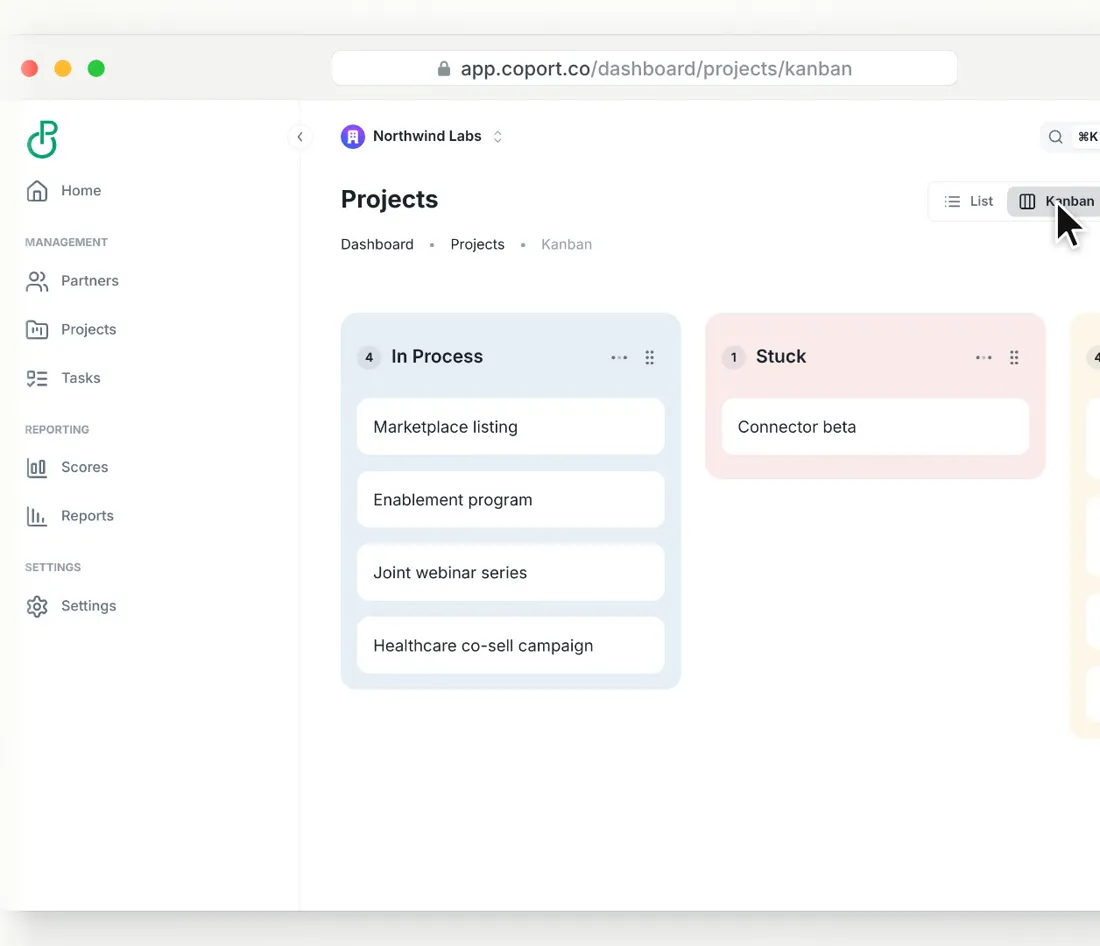
Click Projects in the left sidebar, then choose Kanban (next to List) at the top right. Projects are grouped by status, one column each, such as In Process, Stuck and Not Started.
2. Drag a project to its new status
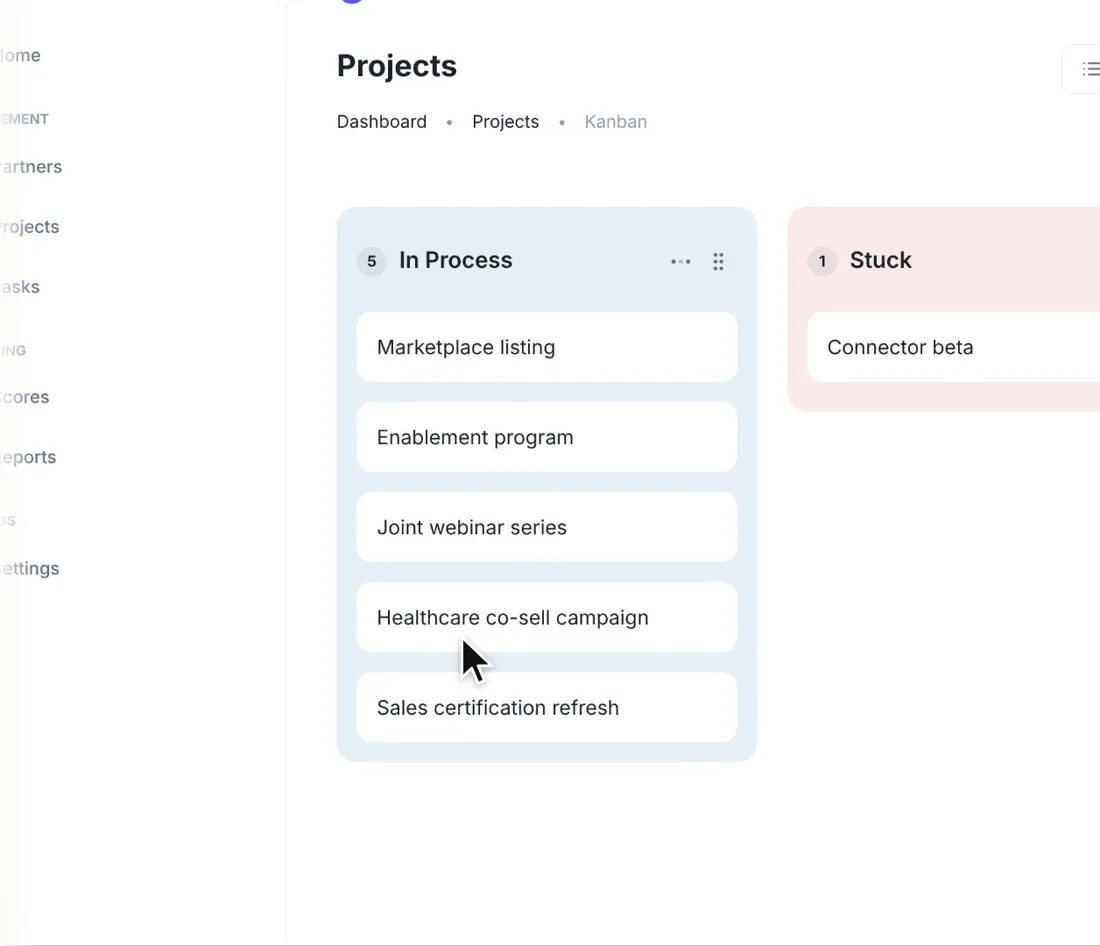
Drag a project card into another column. When work starts, move the project to In Process. The example moves "Sales certification refresh" into In Process.
3. Open the project
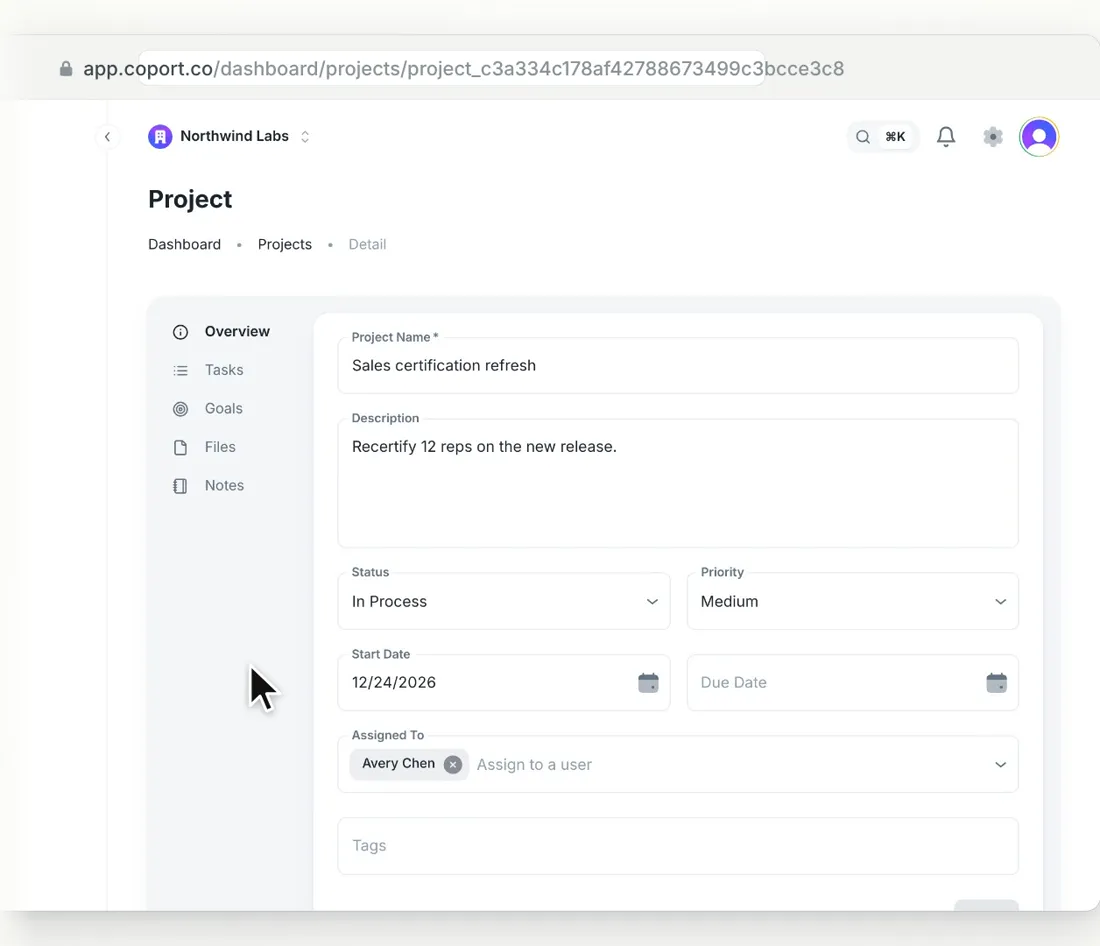
Click the project card. Every project has its details, tasks, goals, files and notes, with sections for Overview, Tasks, Goals, Files and Notes.
4. Update the details
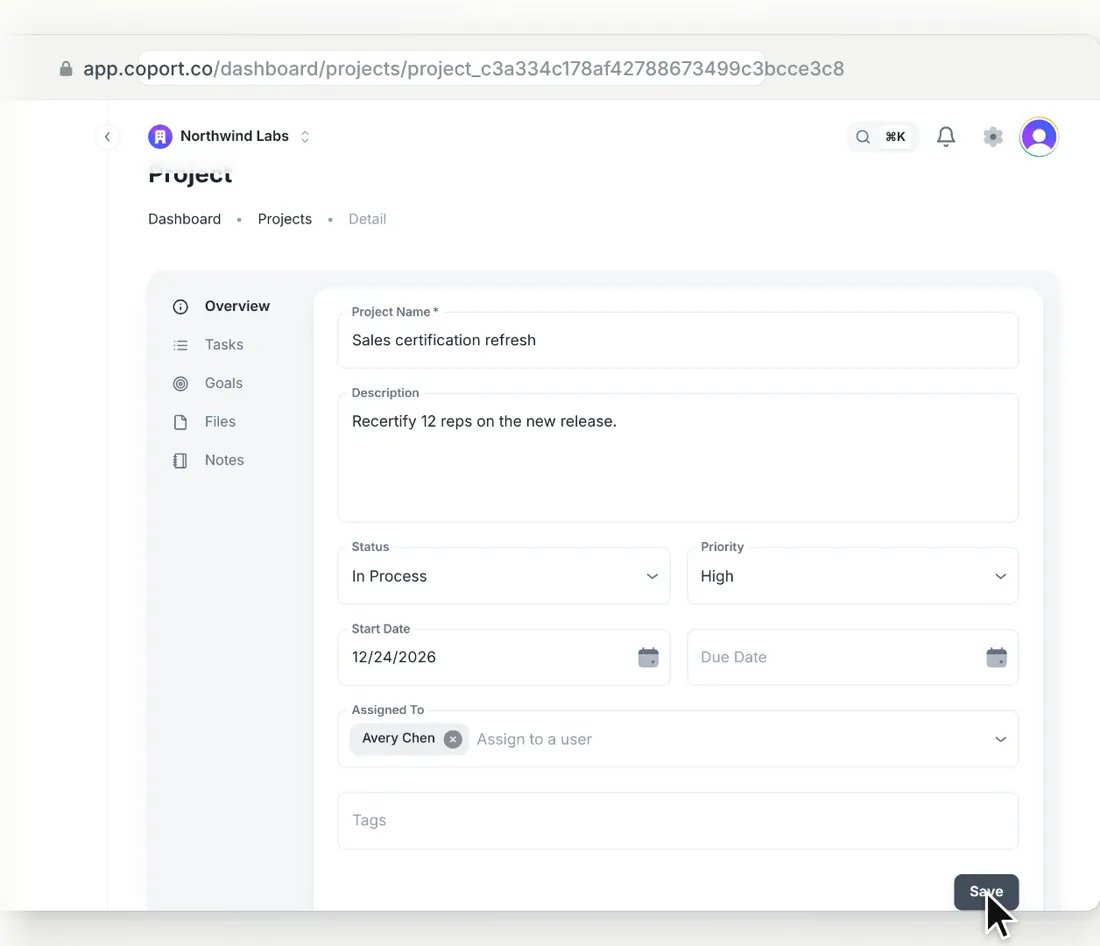
On the Overview, change the Status, Priority, Start Date, Due Date or Assigned To. In the example, the priority changes from Medium to High. Click Save at the bottom right of the form.
5. Everyone sees the change
Go back to the Projects list. Home, reports and the board stay current, so everyone sees the new status and priority. The list shows each project with its partner, status, priority and lead.
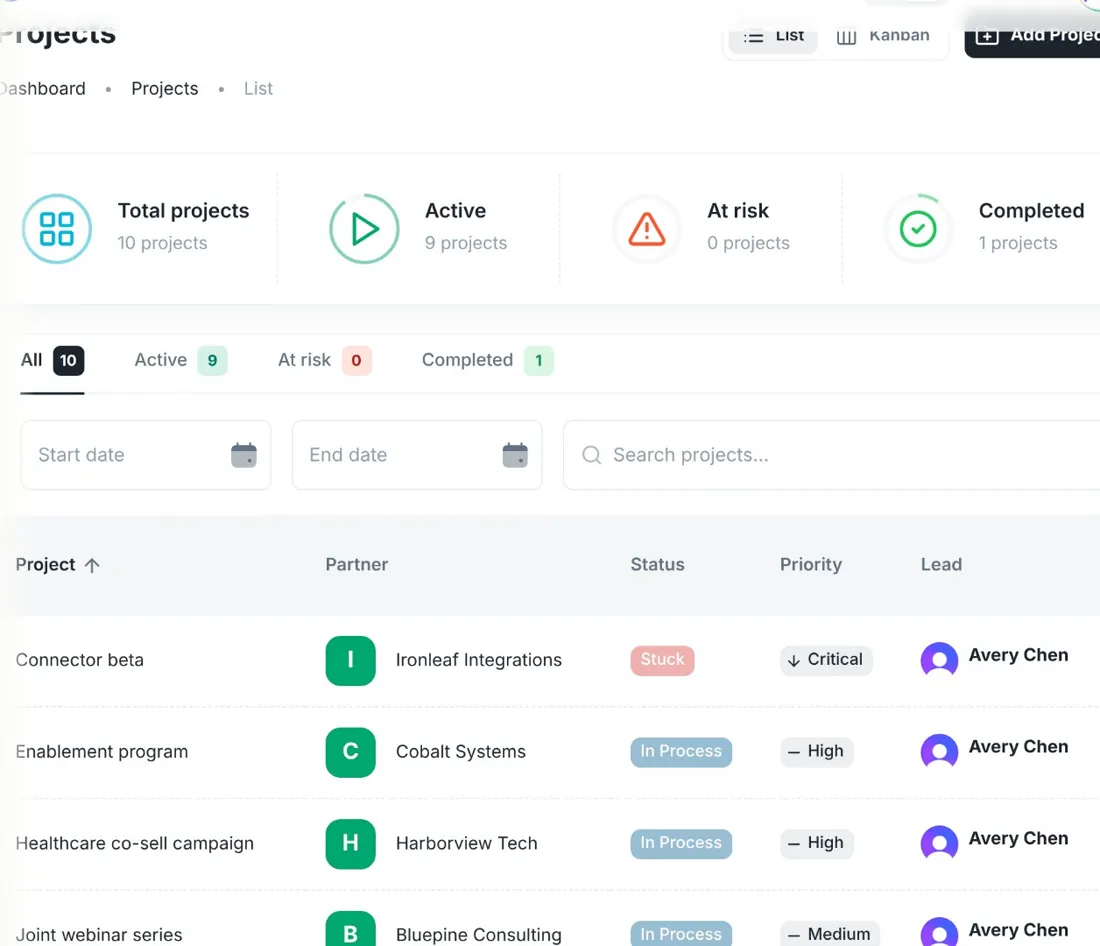
What you should see
The project sits in its new column on the board, and the saved priority is reflected in the Projects list.
Frequently asked questions
How do I change a project's status in CoPort?
On the Kanban board, drag the project card into the column for the new status. You can also change the Status on the project's Overview.
What can I edit on a CoPort project?
Status, priority, start date, due date, owner (Assigned To), description and tags, on the project's Overview.
Is there a list view as well as a board?
Yes. The Projects page has both a List view and a Kanban view.
Using an AI assistant? This guide is available as plain Markdown at /docs/move-projects-across-the-board.md, and every guide is indexed at /llms.txt.