

Set up partner types, stages and tiers in CoPort
Updated · 6 steps
Chapters
In CoPort, you set up your partner program once under Settings. Each kind of partner, such as resellers or technology partners, gets its own partner type. For each type you define the stages partners move through (from prospect to strategic), the tiers that rank them, and the scoring categories that produce each partner's score.
Before you start
- You are signed in to CoPort and can open Settings in the left sidebar.
- Decide which kinds of partners you work with. Each kind becomes a partner type.
Steps
1. Open Settings
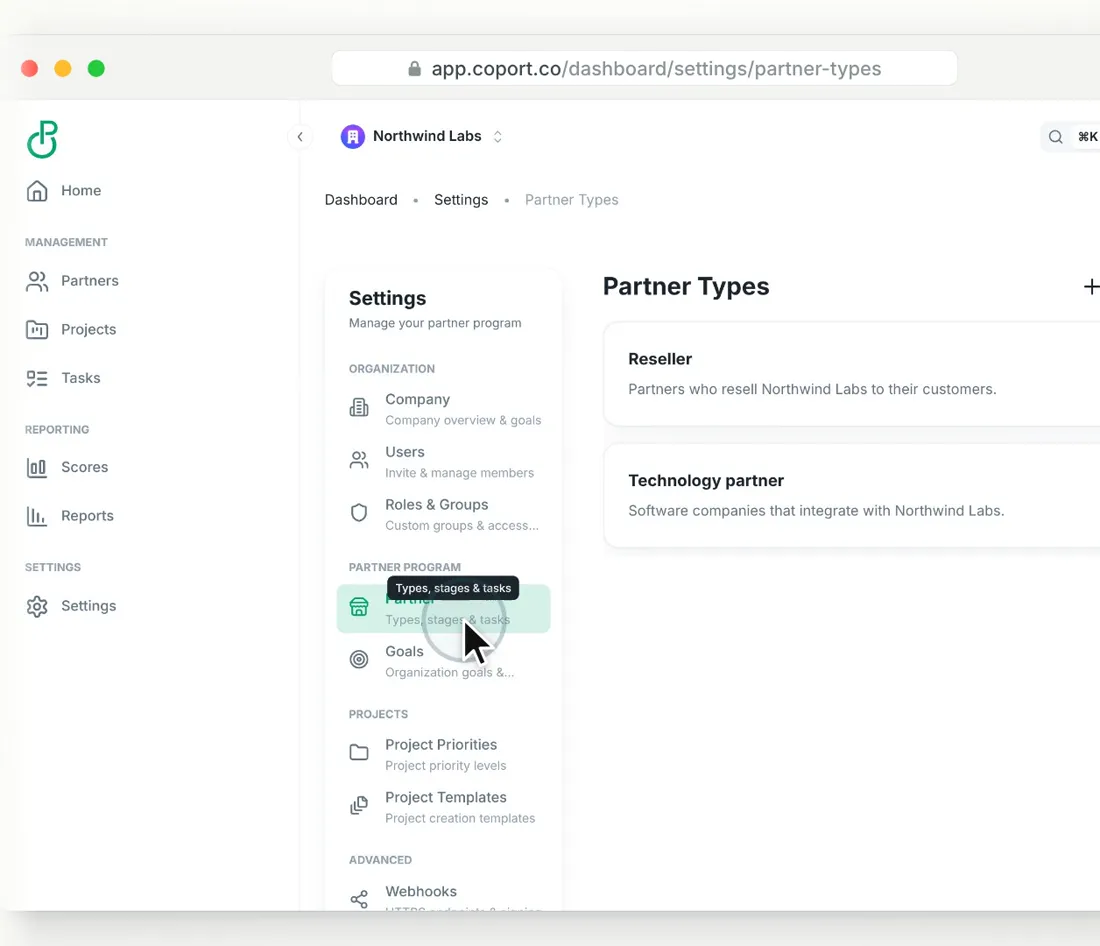
Click Settings in the left sidebar. Your partner program is set up here, once. The Settings menu groups pages under Organization, Partner Program, Projects and Advanced.
2. Open a partner type
In the Partner Program group, open Partner (Types, stages and tiers). The Partner Types page lists each kind of partner, for example Reseller and Technology partner, each with a short description. Click a type to open it. It has three tabs: Stages, Tiers and Scores.
3. Add a stage
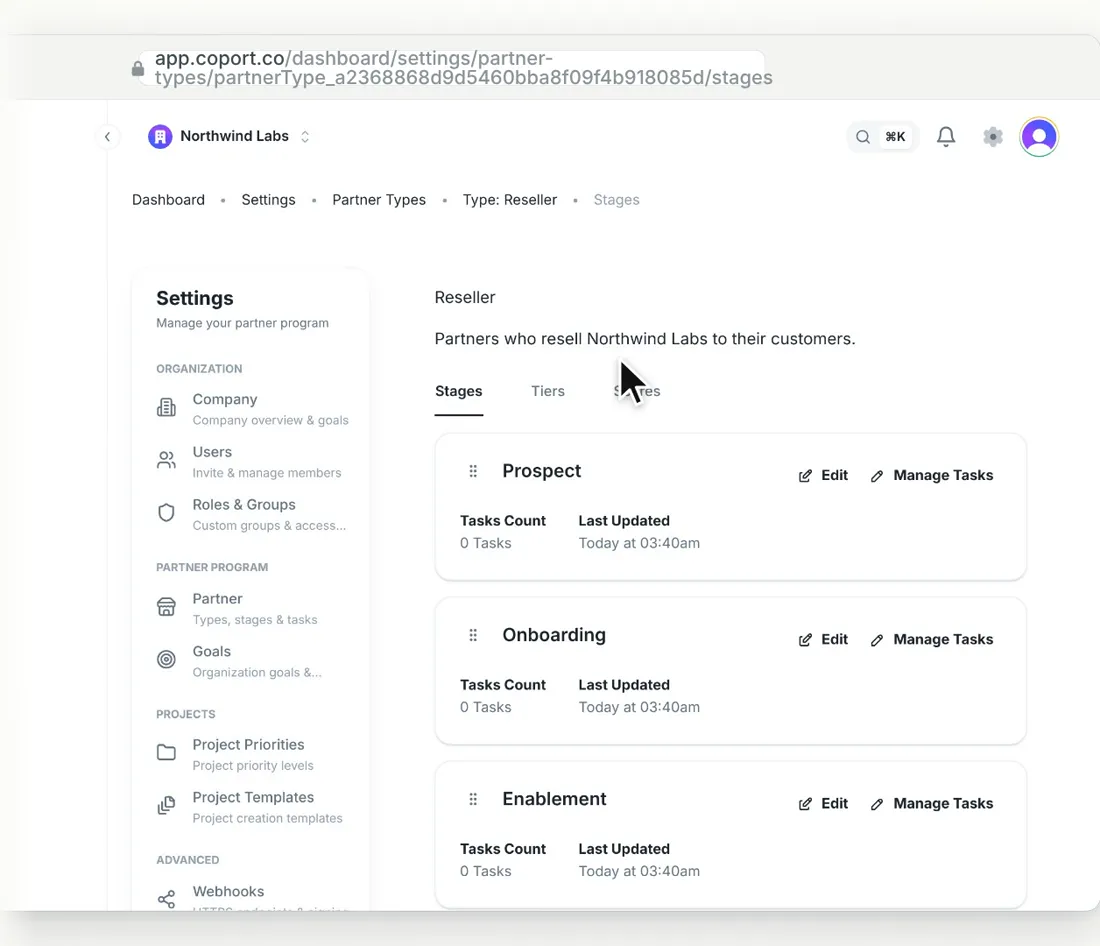
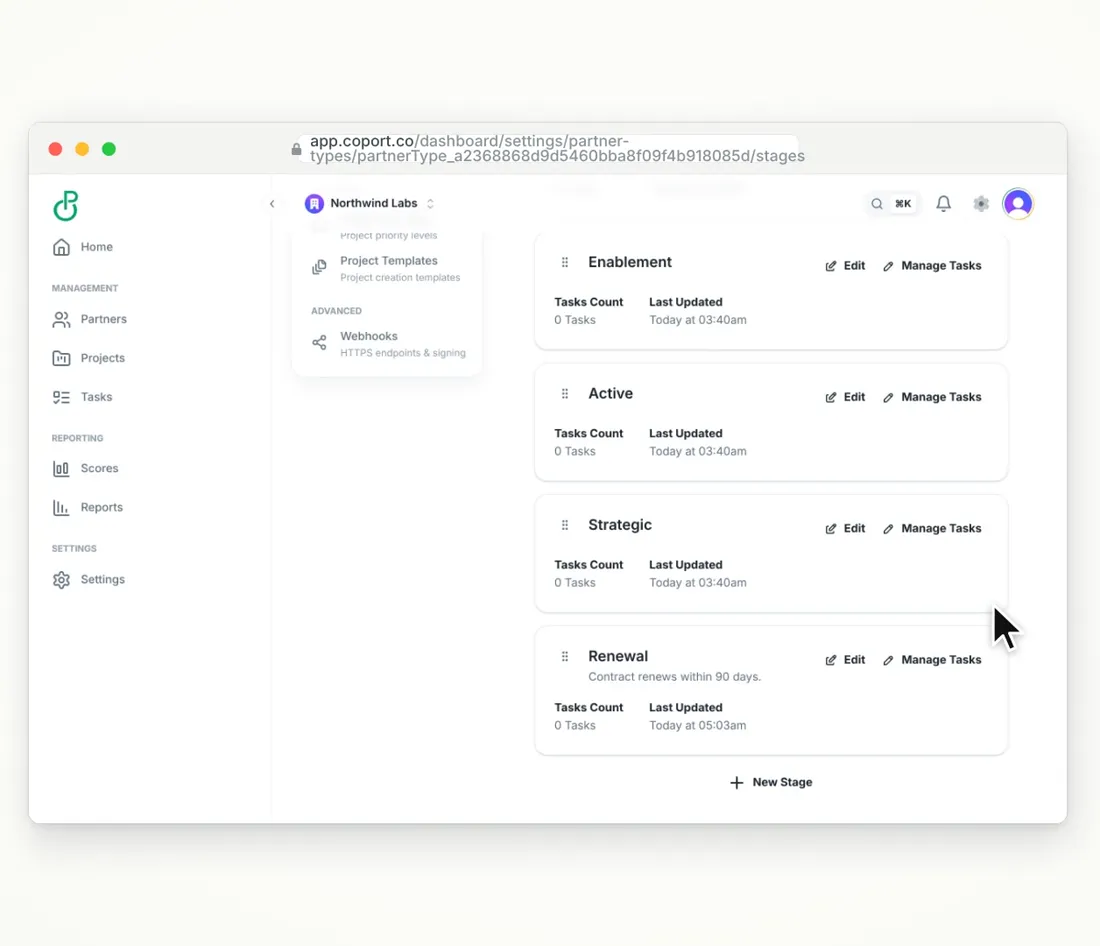
On the Stages tab, stages are the steps a partner moves through, from prospect to strategic. The Reseller type shows stages such as Prospect, Onboarding, Enablement, Active, Strategic and Renewal. Click New Stage, enter a Stage Name and a description, then click Create.
4. Set the tiers
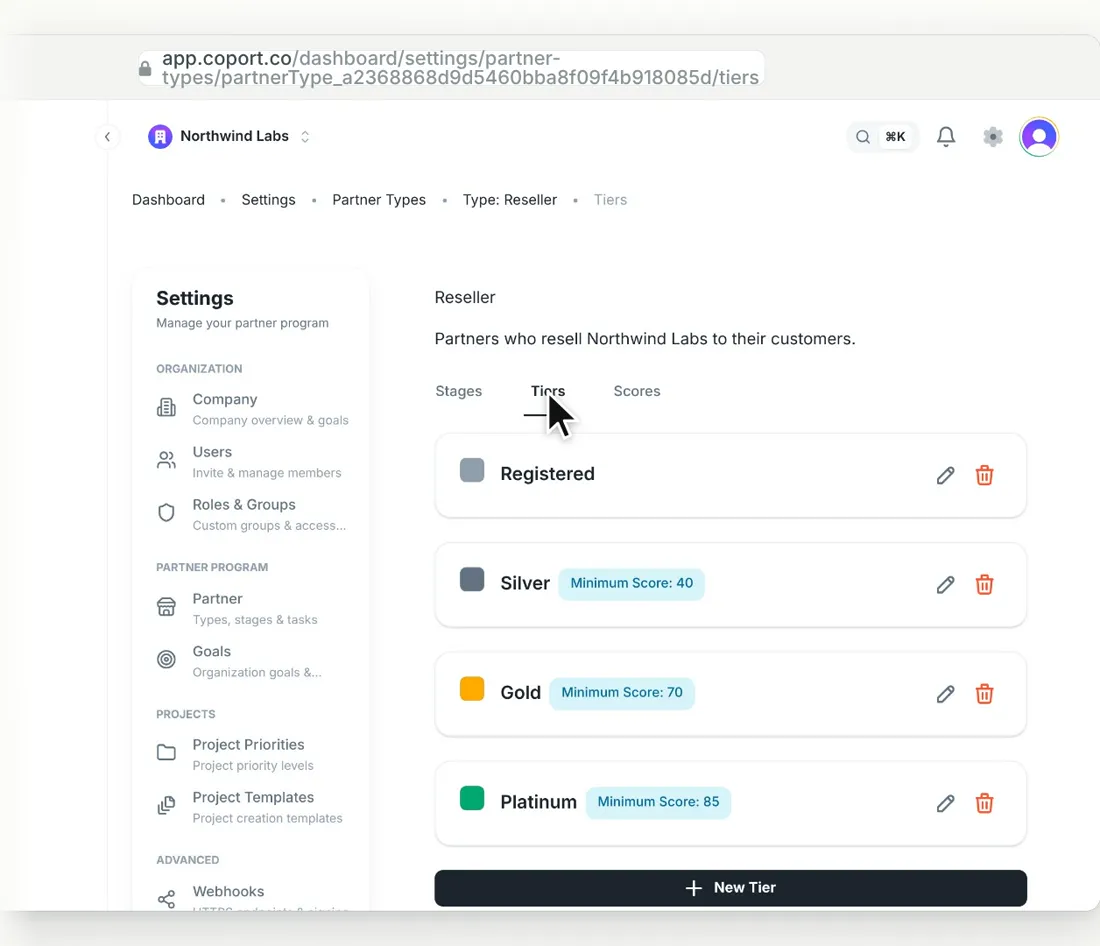
Open the Tiers tab. Tiers rank partners, and each tier has the minimum score a partner must reach. The example uses Registered, Silver (minimum score 40), Gold (minimum score 70) and Platinum (minimum score 85). Click New Tier to add another.
5. Choose how partners are scored
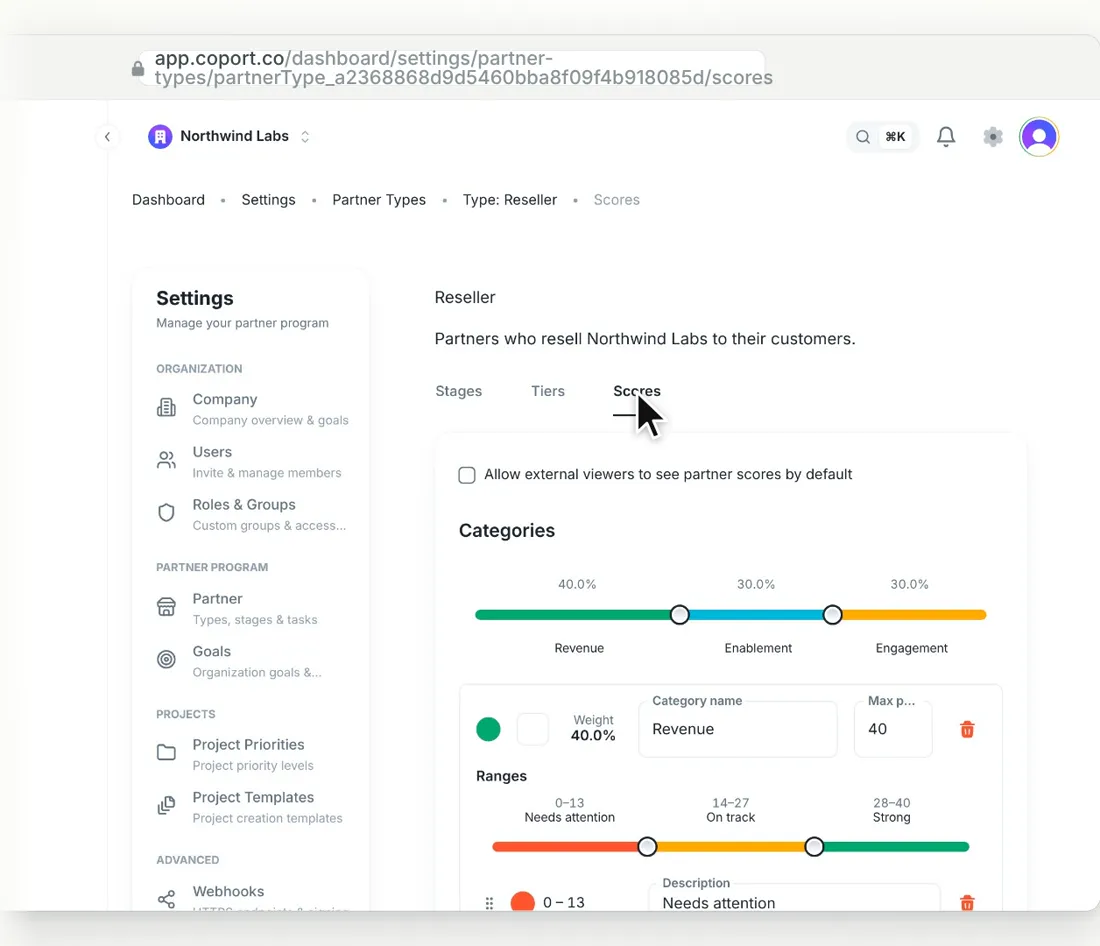
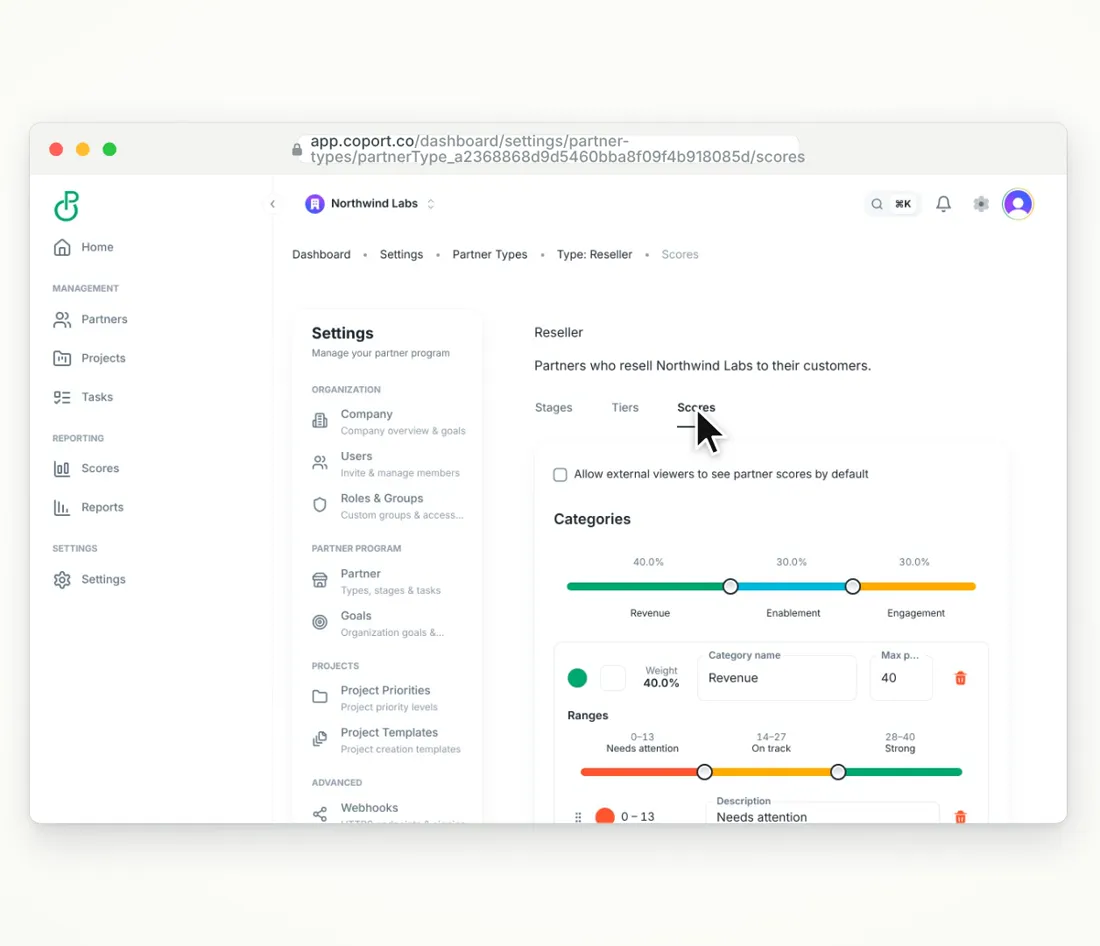
Open the Scores tab. Scoring categories and their weights add up to each partner's score. The example has Revenue (weight 40%, up to 40 points), Enablement and Engagement, each with ranges labelled Needs attention, On track and Strong. A checkbox controls whether external viewers can see partner scores by default.
6. Repeat for each type
Go back to Partner Types and repeat steps 2 to 5 for every other partner type, such as Technology partner. When your types are ready, add your partners.
What you should see
Each partner type has its own list of stages, its own tiers with minimum scores, and its own scoring categories. When you add a partner, you pick from these types, stages and tiers.
Frequently asked questions
What is a partner type in CoPort?
A partner type is a kind of partner, such as a reseller or a technology partner. Each type has its own stages, tiers and scoring categories.
What is a partner stage in CoPort?
Stages are the steps a partner moves through, from prospect to strategic, for example Prospect, Onboarding, Enablement, Active, Strategic and Renewal.
How do partner tiers work in CoPort?
Tiers rank partners. Each tier has a minimum score, so a partner reaches Silver, Gold or Platinum when its score meets that tier's minimum.
Where do I set up partner scoring categories?
Open Settings, go to Partner under Partner Program, open a partner type and choose the Scores tab. Categories and weights there add up to each partner's score.
Using an AI assistant? This guide is available as plain Markdown at /docs/set-up-partner-types-and-stages.md, and every guide is indexed at /llms.txt.