

How to add a partner in CoPort
Updated · 6 steps
Chapters
To add a partner in CoPort, open Partners, click Add Partner, enter the company name, choose a partner type, stage and tier, write a short value proposition and create the partner. The new partner record is ready for contacts, projects and tasks.
Before you start
- Your partner types, stages and tiers exist. If not, see Set up partner types and stages.
Steps
1. Go to Partners
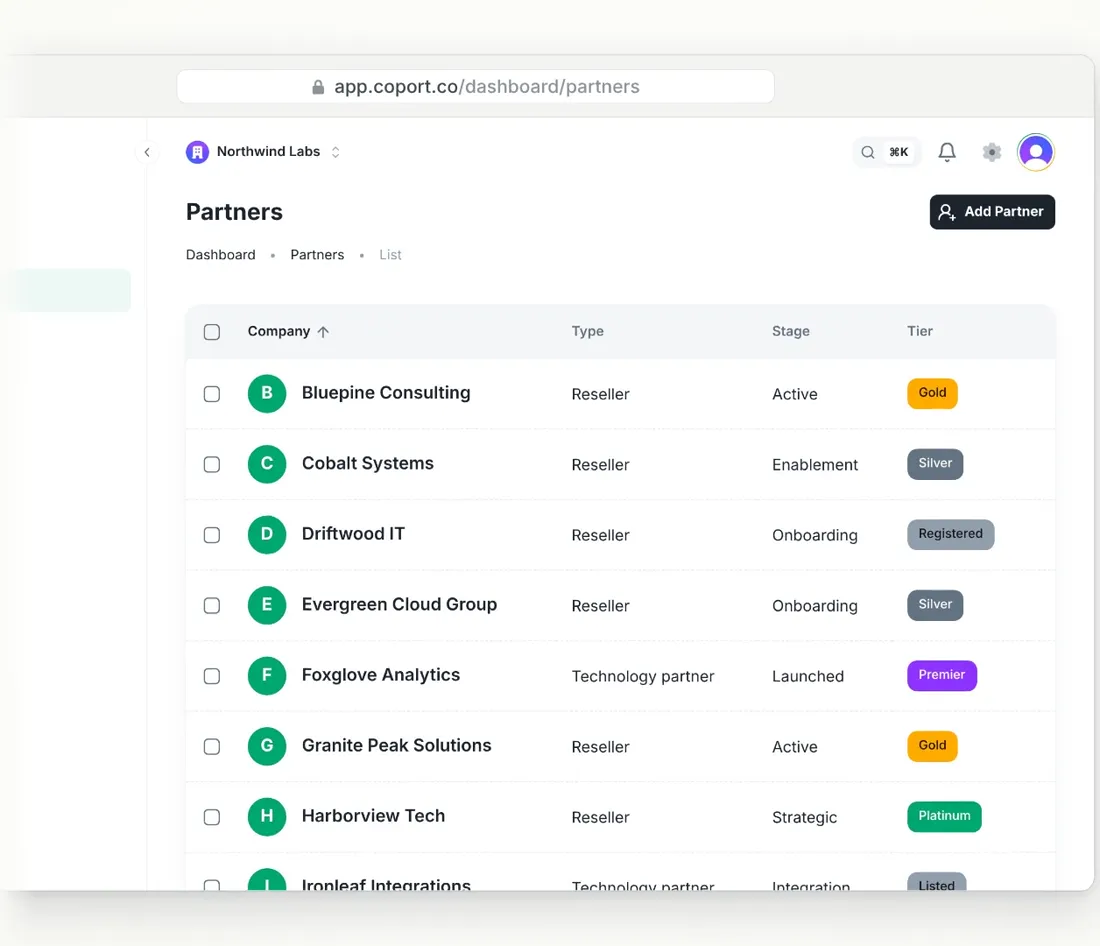
Click Partners in the left sidebar. The list shows every partner in your program with its type, stage and tier.
2. Add a partner
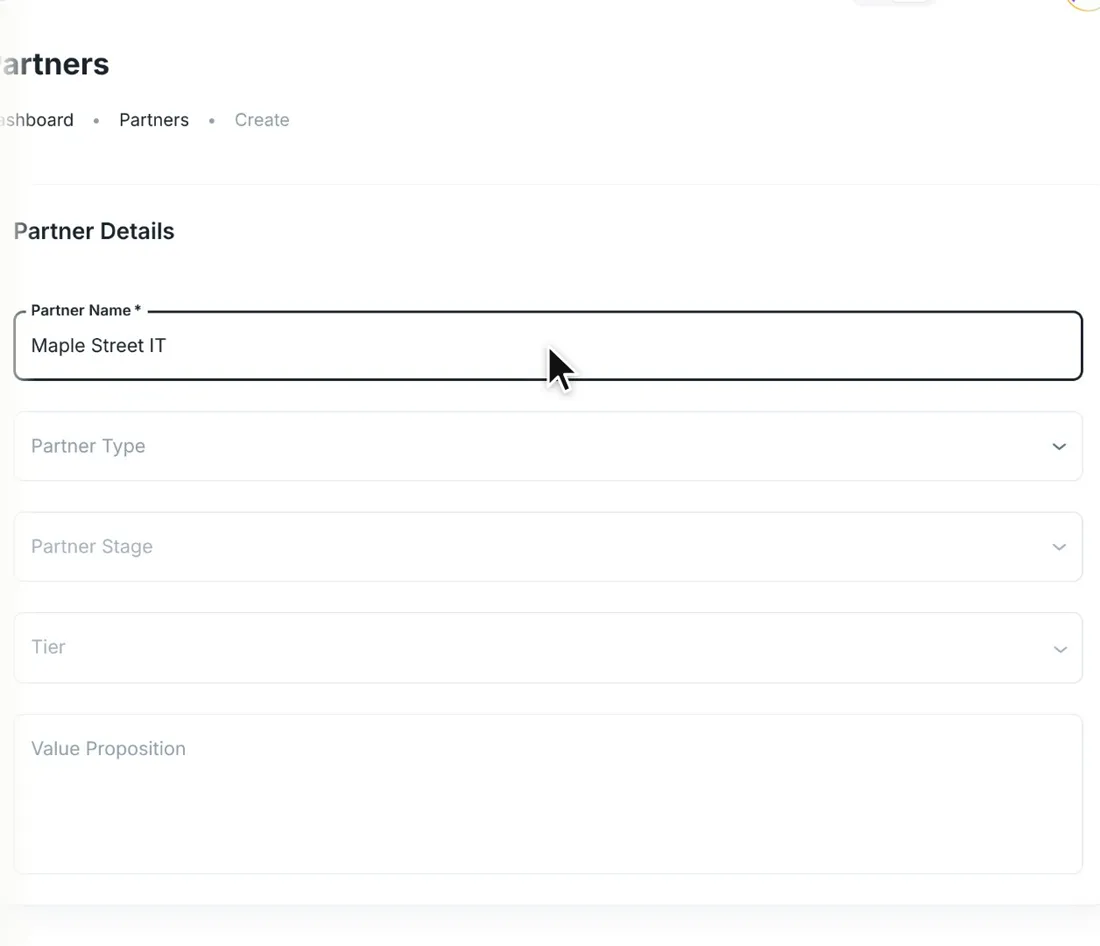
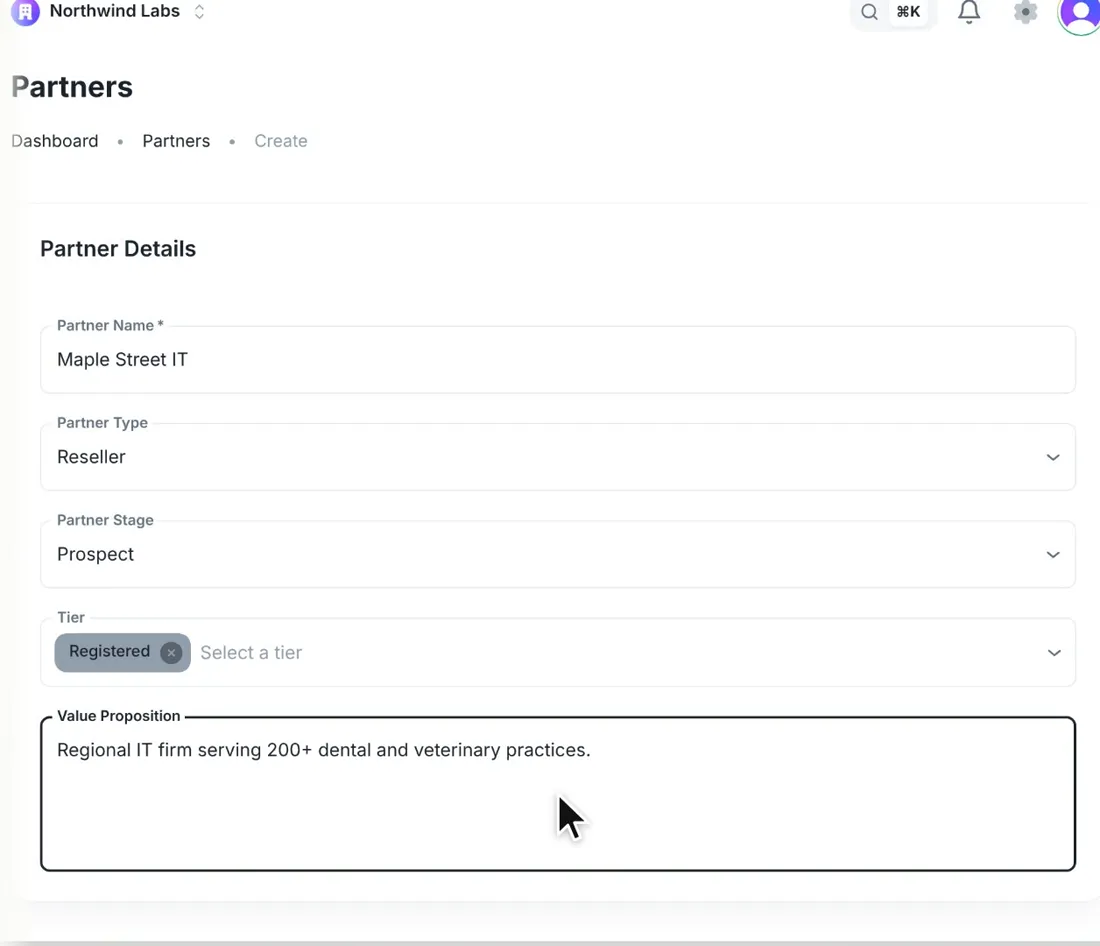
Click Add Partner (top right). The Partner Details form opens. Enter the company's name in Partner Name. The example is "Maple Street IT".
3. Pick its type and stage
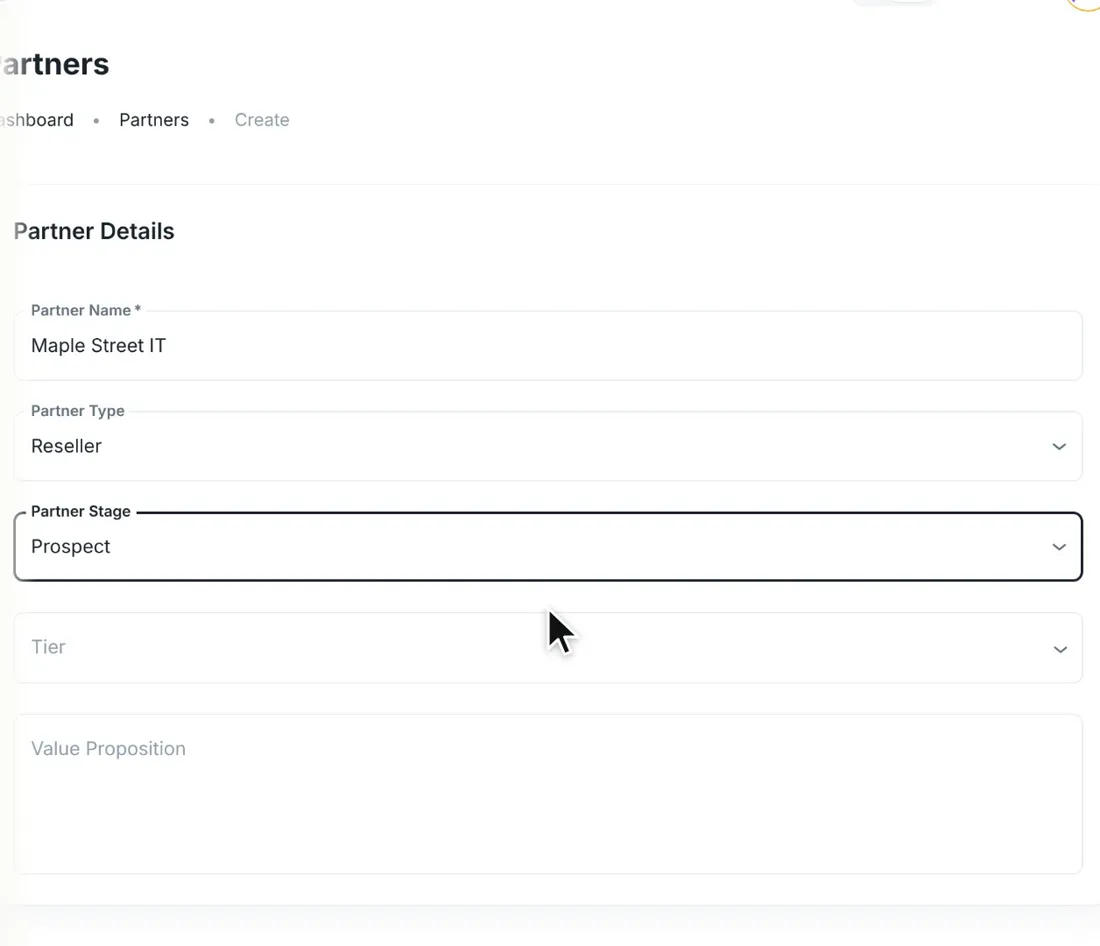
Choose a Partner Type, such as Reseller, then a Partner Stage, such as Prospect. The stage shows where the partner is in your program.
4. Choose a tier
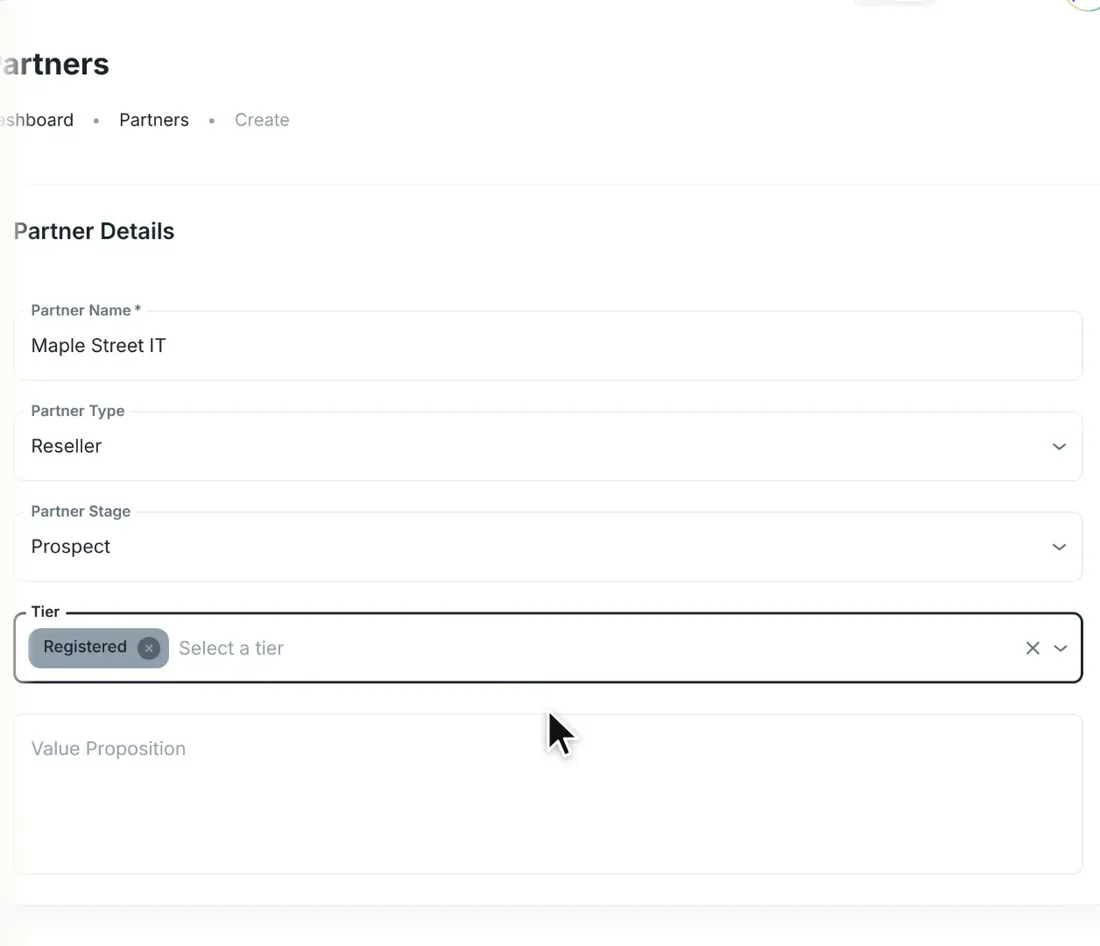
Select a Tier. New partners usually start at the first tier, which is Registered in the example.
5. Say why they matter
Write the Value Proposition. A value proposition keeps your team on the same page about why this partner matters. The example reads "Regional IT firm serving 200+ dental and veterinary practices."
6. Create the partner
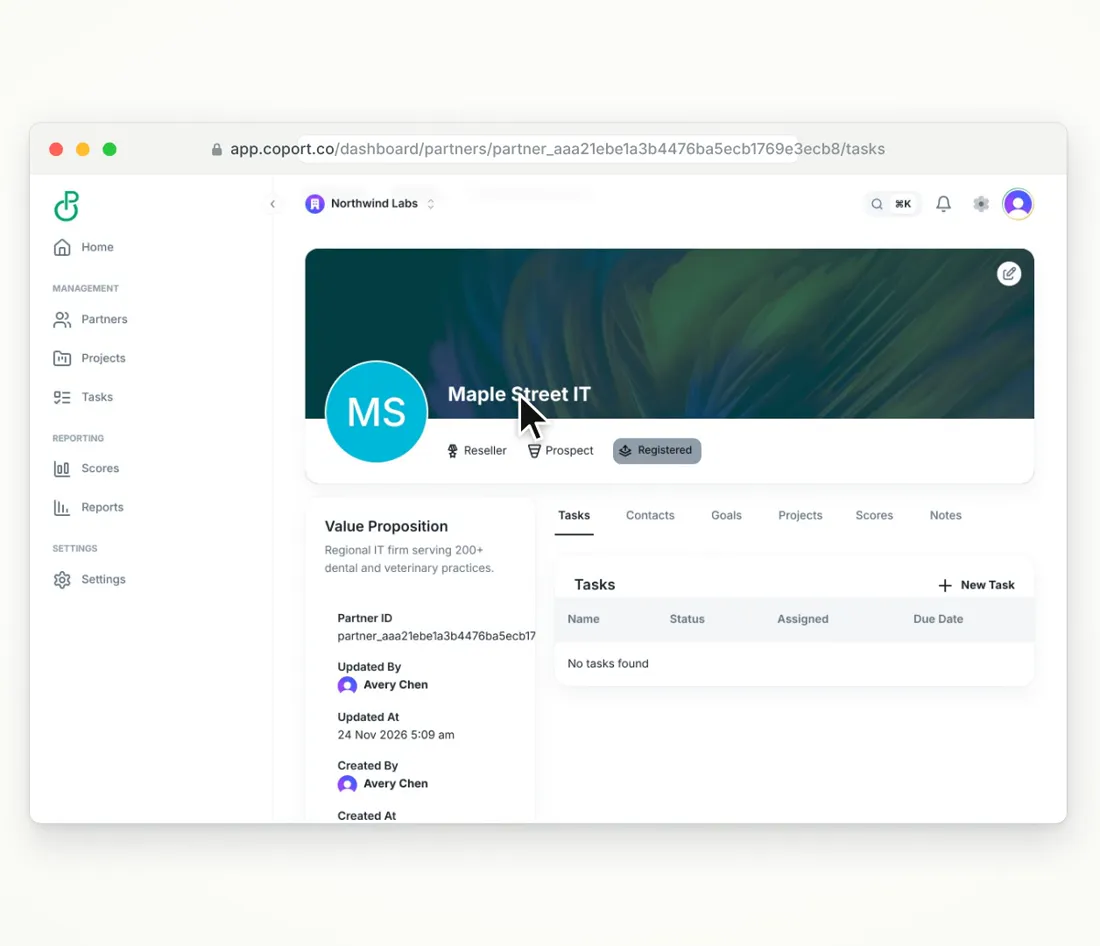
Create the partner from the bottom of the form. The new partner's record opens with its name, type, stage and tier. It is ready for contacts, projects and tasks.
What you should see
A partner record for the new company, with the type, stage and tier you chose and the value proposition on the left. The Tasks tab shows "No tasks found" until you add tasks.
Frequently asked questions
What information do I need to add a partner in CoPort?
A partner name is required. You also choose a partner type, a partner stage and a tier, and you can write a value proposition.
Which tier should a new partner start at?
New partners usually start at the first tier. In the example program that is Registered.
What can I do after adding a partner?
Add contacts and notes, create projects and tasks for the partner, and score the partner. See Add contacts and notes and Score a partner.
Using an AI assistant? This guide is available as plain Markdown at /docs/add-a-partner.md, and every guide is indexed at /llms.txt.
Next guideAdd contacts and notes