

CoPort product tour: how the app works
Updated · 6 steps
Chapters
CoPort is a workspace for running a partner program. This tour walks through the six areas you use every day: Home (what needs you today), Partners (your whole program), a partner record, Projects on a board, Tasks across every partner, and Scores (your strongest partners). All screenshots use sample data for a fictional company.
Steps
1. Home: what needs you today
Open Home from the left sidebar. It greets you with a summary of what needs attention: tasks due today, overdue tasks, tasks due this week, active projects and active partners. Below the summary, My tasks is split into Overdue, Today and This week, and Partner stages shows how many partners sit in each stage.
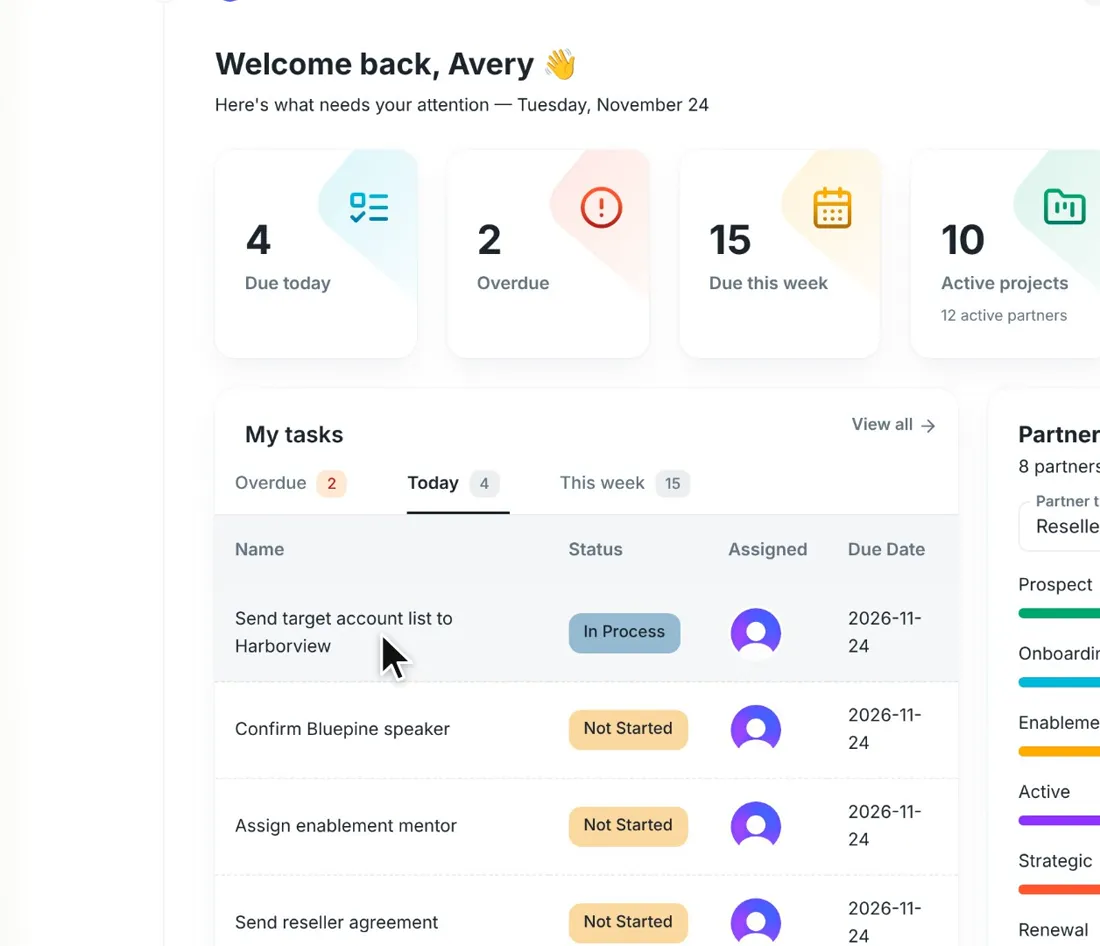
2. Partners: your whole program
Click Partners in the left sidebar. Every partner in your program appears in one list with its Type, Stage and Tier. Use Add Partner (top right) to add a new one.
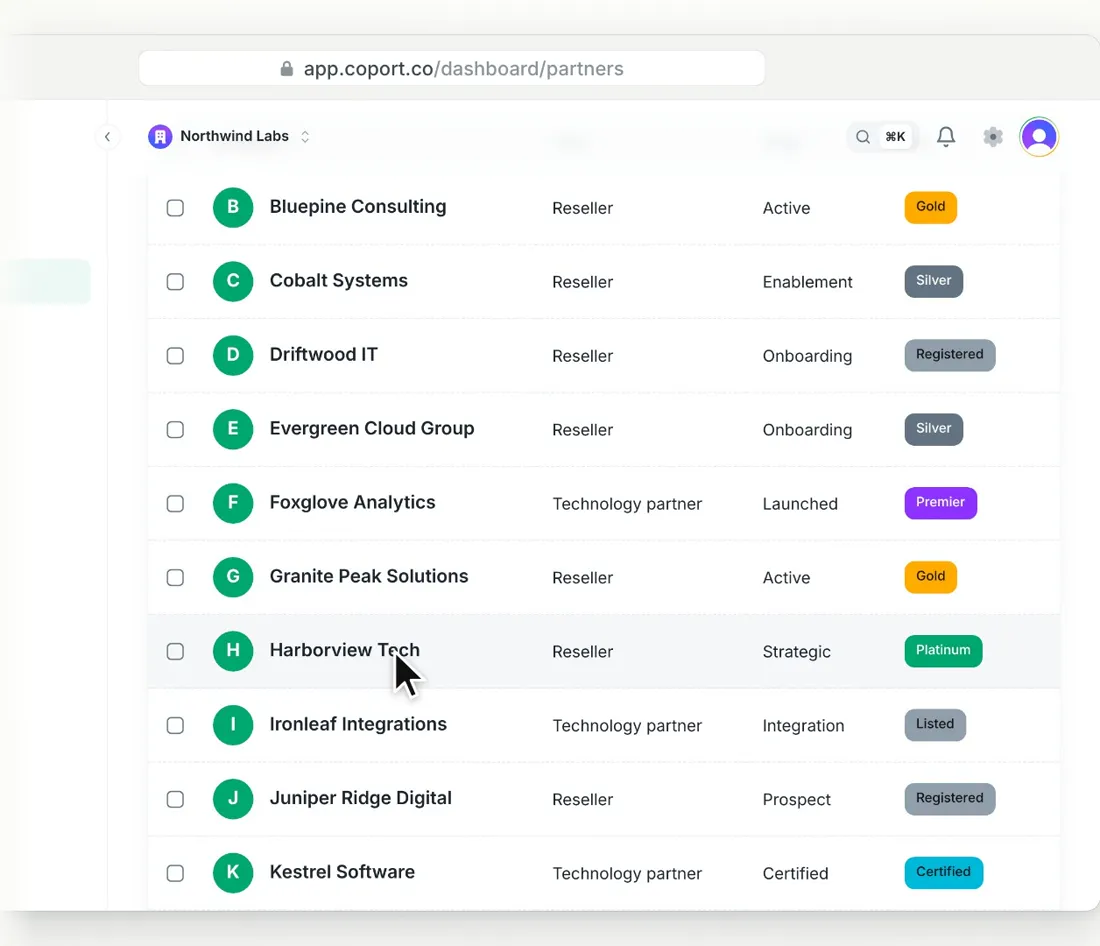
3. Open a partner
Click a partner's name to open its record. The header shows the partner's name, type, stage and tier. The tabs hold everything about that partner: Tasks, Contacts, Goals, Projects, Scores and Notes.
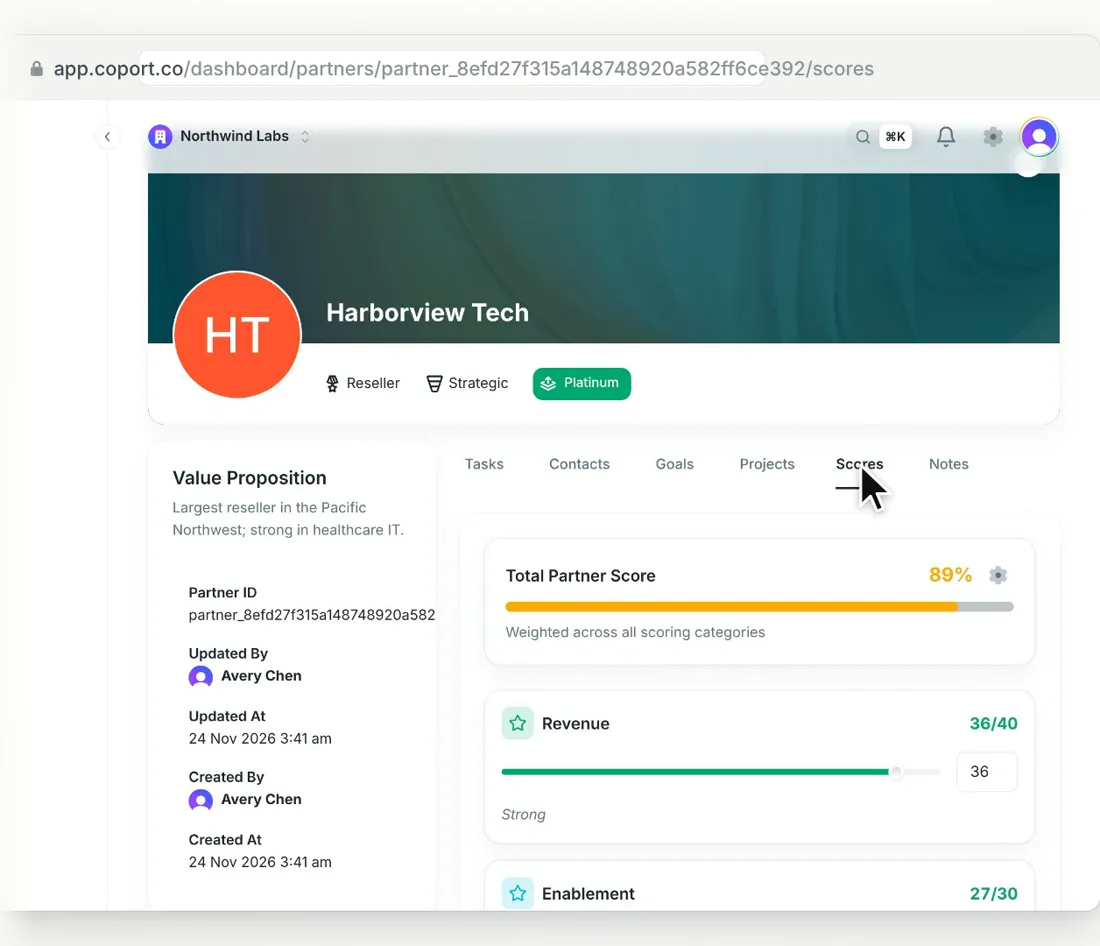
4. Projects on a board
Click Projects in the left sidebar. Onboarding, campaign and launch projects are shown as a Kanban board, grouped by status with one column per status such as In Process and Stuck. A List view is also available.
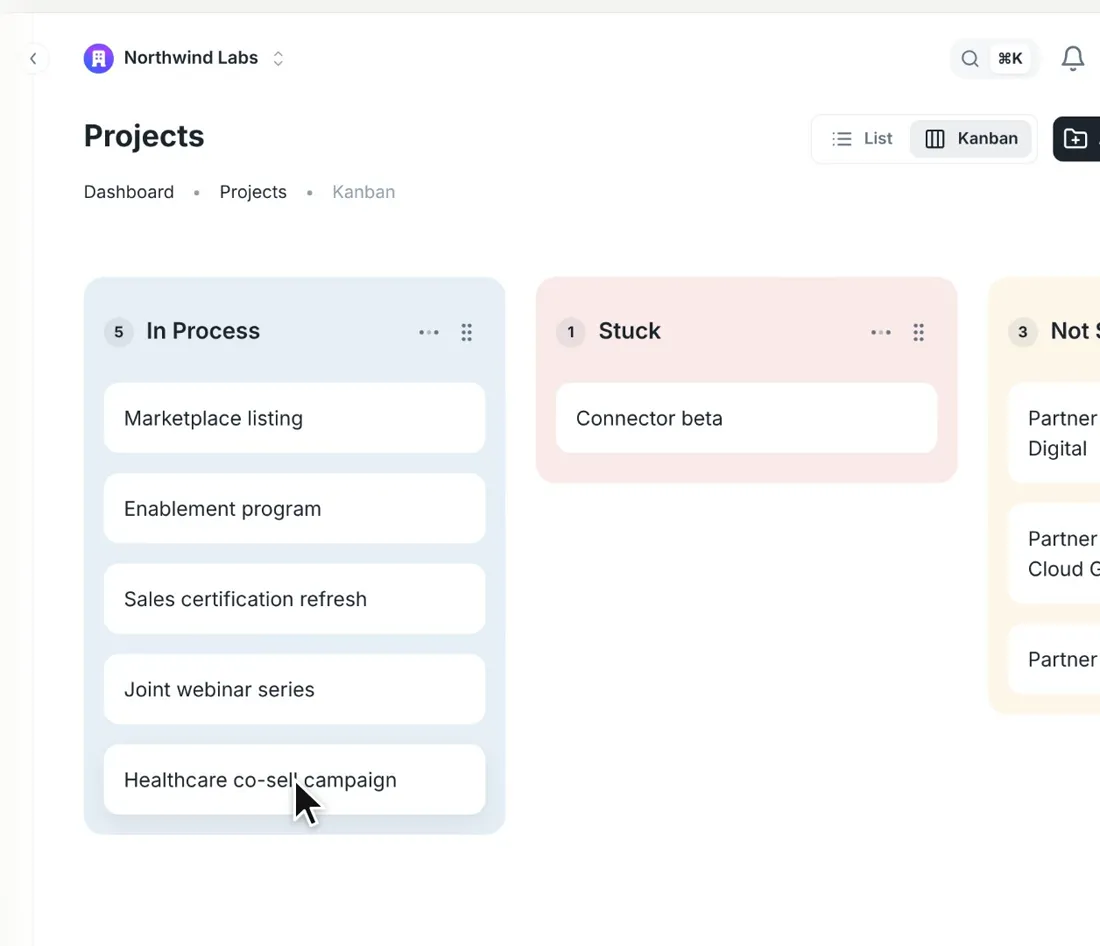
5. Tasks across every partner
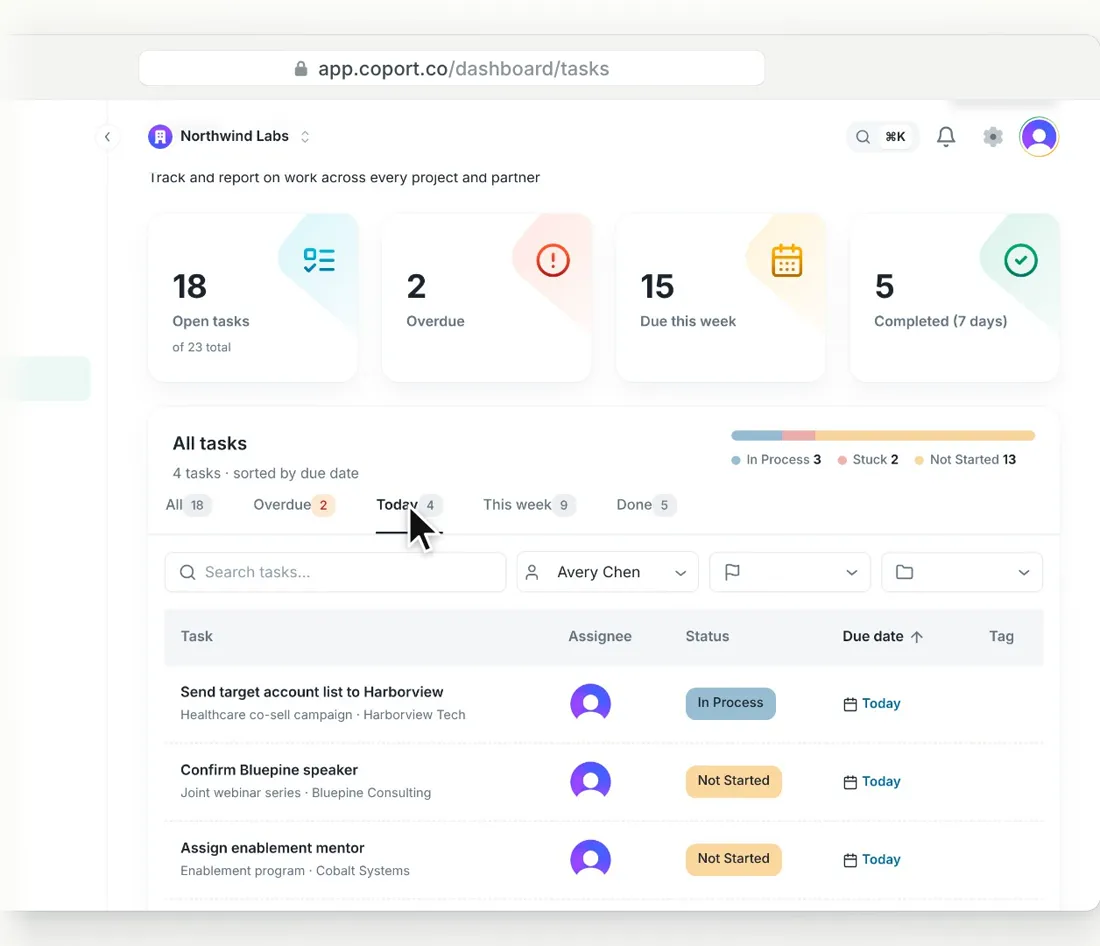
Click Tasks in the left sidebar. This page shows all open work across every partner and project, with totals for open tasks, overdue tasks, tasks due this week and tasks completed in the last 7 days. Filter the list by Overdue, Today, This week or Done.
6. Scores: your strongest partners
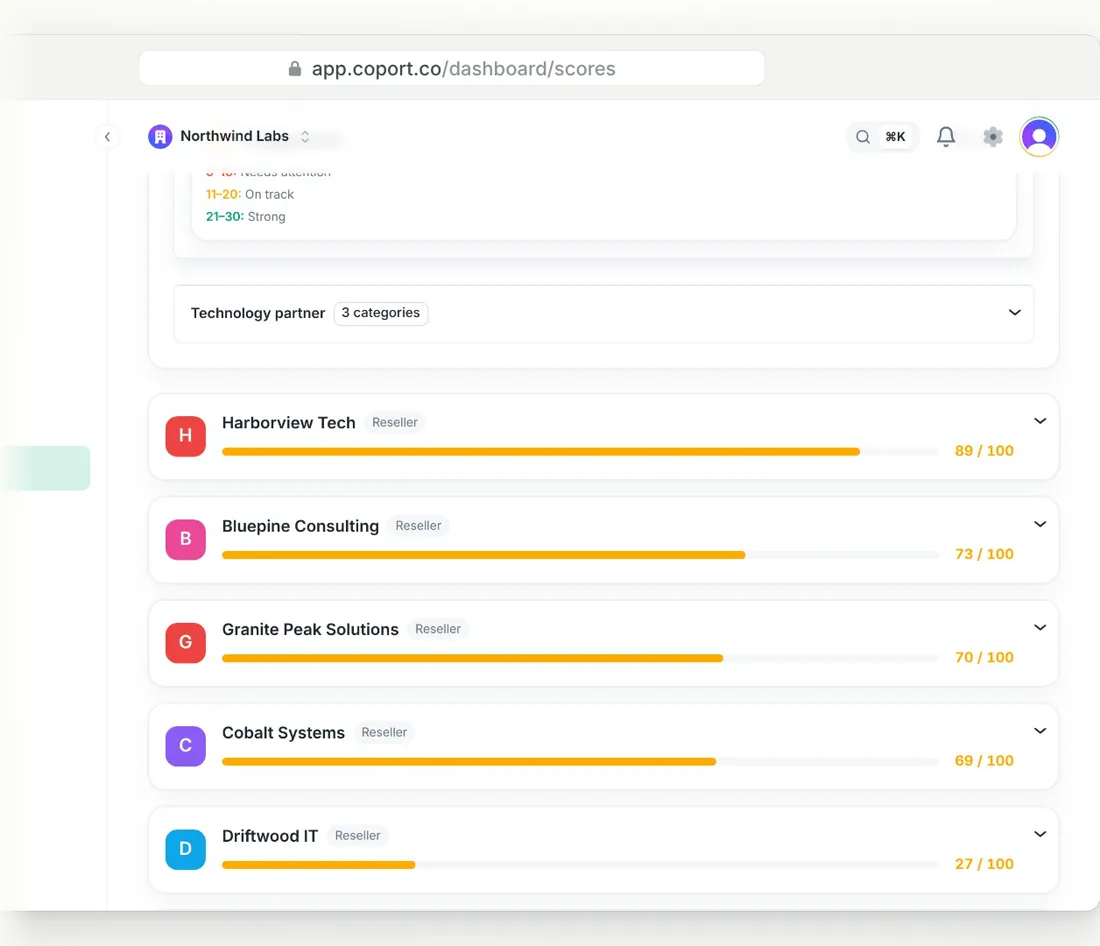
Click Scores in the left sidebar. Every partner is scored on revenue, enablement and engagement, and the page ranks them so you can see your strongest partners at a glance.
What you should see
After the tour you know where to find each part of the app: Home for today's priorities, Partners for the full list, a partner record for the detail, Projects for status, Tasks for open work and Scores for the ranking.
Frequently asked questions
What is CoPort used for?
CoPort is used to run a partner program. It keeps every partner's type, stage, tier, contacts, goals, projects, tasks, scores and notes in one workspace.
What can I see on a partner's record in CoPort?
A partner record has tabs for Tasks, Contacts, Goals, Projects, Scores and Notes, plus the partner's value proposition, type, stage and tier.
Can I see projects as a board in CoPort?
Yes. The Projects page has a Kanban view that groups projects by status, with one column per status, and a List view.
Using an AI assistant? This guide is available as plain Markdown at /docs/tour-of-coport.md, and every guide is indexed at /llms.txt.
Next guideSet up partner types and stages